Japanese / English
何かトラブルや分からない事があれば「困ったときは」の章をご覧ください。
Mozilla Firefoxにオンライン/オフラインの状態表示と切り替えを行うアイコンを追加する拡張機能です。
インストールしただけでは、アイコンは表示されません。
アイコンを表示するには、まずメニューボタン→「カスタマイズ」
(または、メニューバーの「表示」→「ツールバー」→「カスタマイズ」)をクリックします。
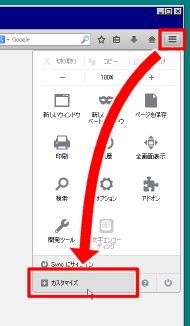
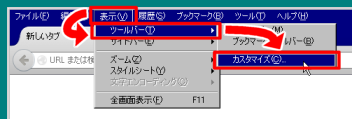
開いたカスタマイズ画面から「オフライン作業」のアイテムを
アイコンを置きたい場所にドラッグ&ドロップしてください。
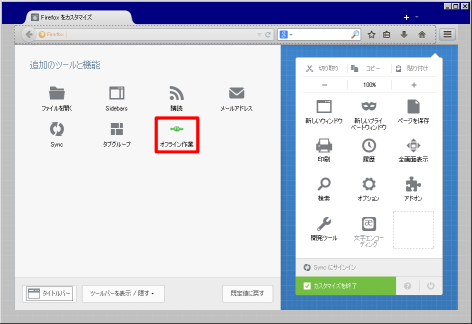
アイコンは、メニューパネルやロケーションバー、メニューバー等好きな場所に置けます。
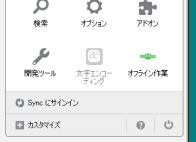
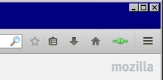
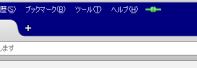
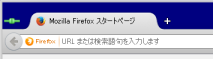
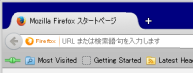
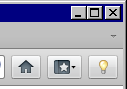
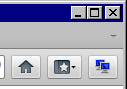
このアイコンは、現在のオンライン/オフラインの状態を表しています。
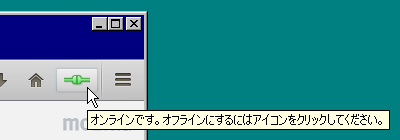
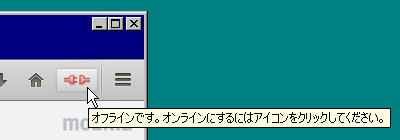
次の3通りの方法でオンライン/オフラインの状態を切り替えられます。
ここからは、設定画面の各項目について説明します。
設定ダイアログを表示するには、まずメニューボタン→「アドオン」
(または、メニューバーの「ツール」→「アドオン」)をクリックします。
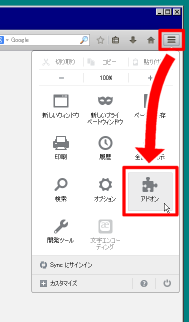
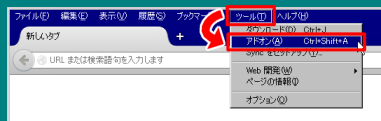
表示されたアドオンマネージャの「拡張機能」パネルを選択し、
「Work Offline」の「設定」ボタンをクリックしてください。
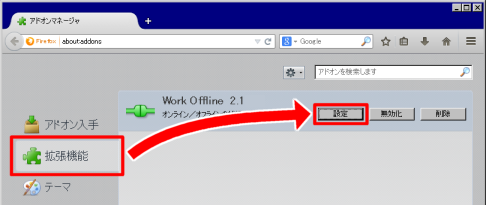
「一般」パネルでの設定項目について説明します。
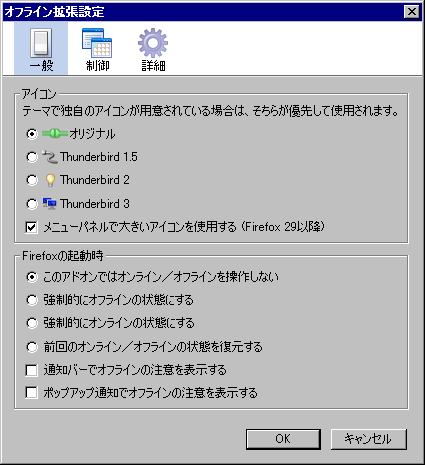
「アイコン」では、表示されるアイコンを変更することができます。
テーマで独自のアイコンが用意されている場合は、そちらが優先して使用されます。
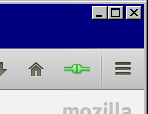
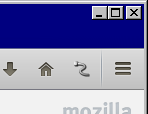
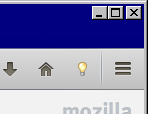
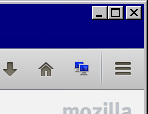
「メニューパネルで大きいアイコンを使用する」にチェックを入れると、
Firefox 29以降でメニューパネルにアイコンを置いた場合に、
大きなサイズでアイコンを表示するようにします。
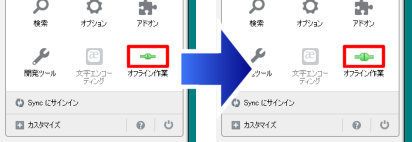
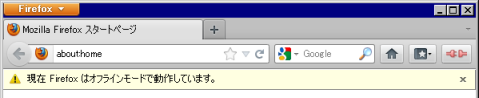
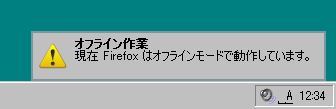
「Firefoxの起動時」では、Firefoxが起動するタイミングでの動作を設定します。

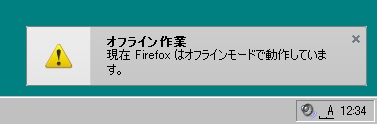
「制御」パネルでの設定項目について説明します。
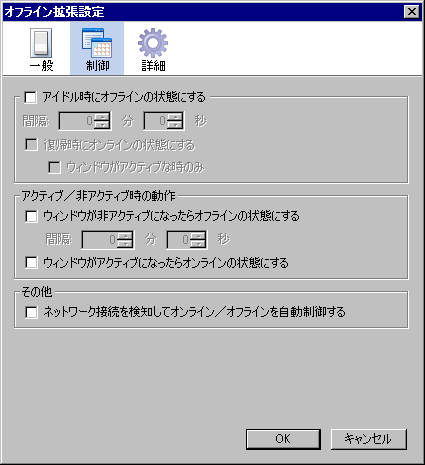
「アイドル時にオフラインの状態にする」では、キーボードやマウスを操作しない(=アイドル)状態が
一定時間続いた場合、自動的にオフラインの状態にする設定を行います。
この機能を有効にしたい場合、「アイドル時にオフラインの状態にする」にチェックを入れます。
「アクティブ/非アクティブ時の動作」では、Firefoxのウィンドウがアクティブ/非アクティブに
なった時に自動的にオンライン/オフラインにする設定を行います。
「その他」では、その他の様々な動作を設定します。
network.manage-offline-statusのプリファレンスを制御しています)
「詳細」パネルでの設定項目について説明します。
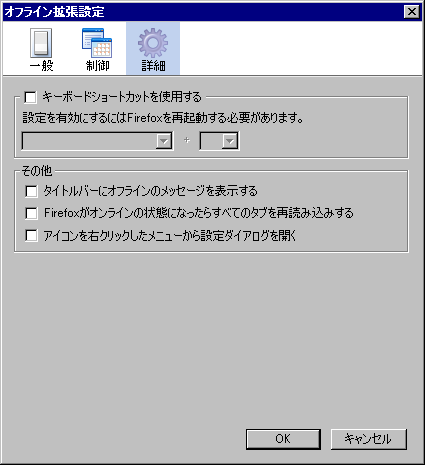
「キーボードショートカットを使用する」では、キーボードショートカットを設定します。
キーボードショートカットを使用してオンライン/オフラインの状態を切り替えたい場合、
「キーボードショートカットを使用する」にチェックを入れ、使用したいキーの組み合わせを選択してください。
この設定を有効にするには、Firefoxを再起動する必要があります。
「その他」では、その他の様々な動作を設定します。
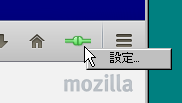
インストールしただけでは、アイコンは表示されません。
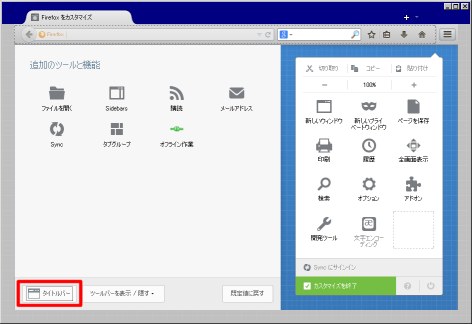
アイコンを表示するには、まずFirefoxボタン→「オプション」右横の矢印→「ツールバーのカスタマイズ」
(または、メニューバーの「表示」→「ツールバー」→「カスタマイズ」)をクリックします。
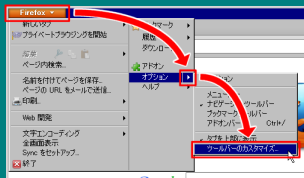
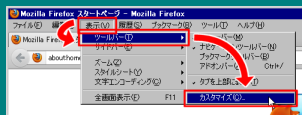
開いたツールバーのカスタマイズウィンドウから「オフライン作業」のアイテムを
アイコンを置きたい場所にドラッグ&ドロップしてください。
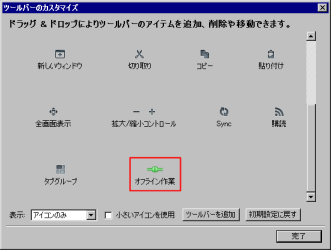
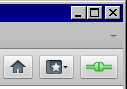
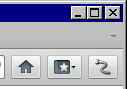
アイコンは、アドオンバーに限らず、ツールバーやメニューバー等好きな場所に置けます。
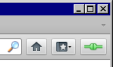
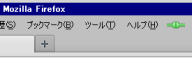
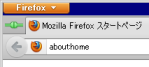
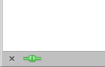
このアイコンは、現在のオンライン/オフラインの状態を表しています。
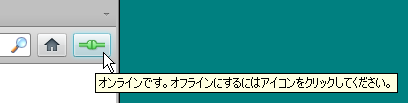
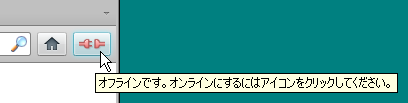
次の3通りの方法でオンライン/オフラインの状態を切り替えられます。
ここからは、設定画面の各項目について説明します。
設定ダイアログを表示するには、まずFirefoxボタン→「アドオン」
(または、メニューバーの「ツール」→「アドオン」)をクリックします。
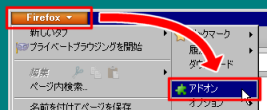
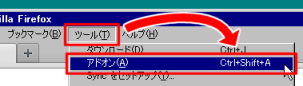
表示されたアドオンマネージャの「拡張機能」パネルを選択し、
「Work Offline」の「設定」ボタンをクリックしてください。
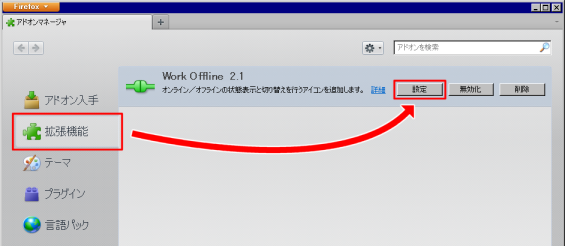
「一般」パネルでの設定項目について説明します。
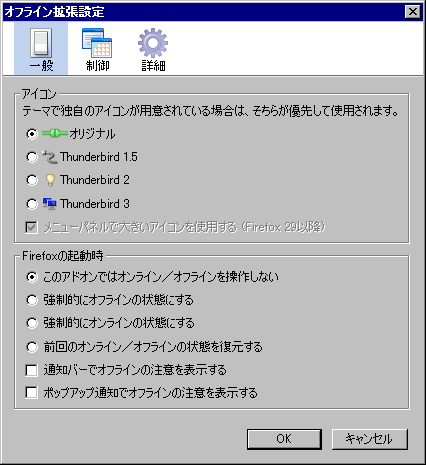
「アイコン」では、表示されるアイコンを変更することができます。
テーマで独自のアイコンが用意されている場合は、そちらが優先して使用されます。
「Firefoxの起動時」では、Firefoxが起動するタイミングでの動作を設定します。
「制御」パネルでの設定項目について説明します。
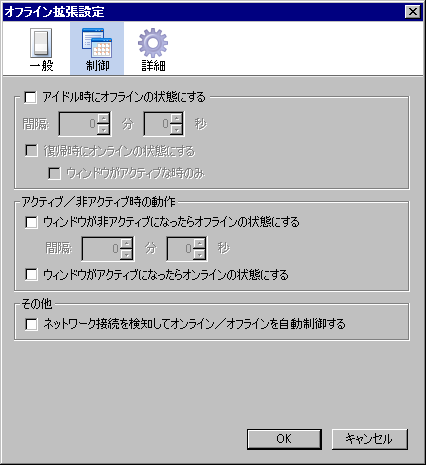
「アイドル時にオフラインの状態にする」では、キーボードやマウスを操作しない(=アイドル)状態が
一定時間続いた場合、自動的にオフラインの状態にする設定を行います。
この機能を有効にしたい場合、「アイドル時にオフラインの状態にする」にチェックを入れます。
「アクティブ/非アクティブ時の動作」では、Firefoxのウィンドウがアクティブ/非アクティブに
なった時に自動的にオンライン/オフラインにする設定を行います。
「その他」では、その他の様々な動作を設定します。
network.manage-offline-statusのプリファレンスを制御しています)
「詳細」パネルでの設定項目について説明します。
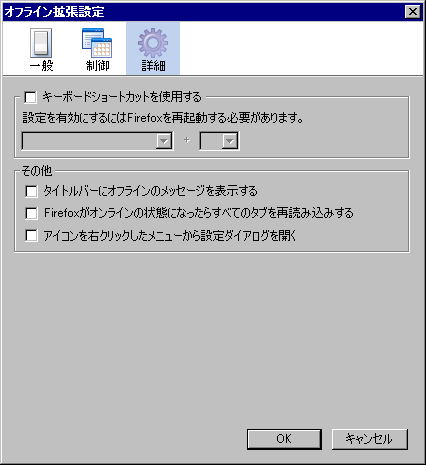
「キーボードショートカットを使用する」では、キーボードショートカットを設定します。
キーボードショートカットを使用してオンライン/オフラインの状態を切り替えたい場合、
「キーボードショートカットを使用する」にチェックを入れ、使用したいキーの組み合わせを選択してください。
この設定を有効にするには、Firefoxを再起動する必要があります。
「その他」では、その他の様々な動作を設定します。
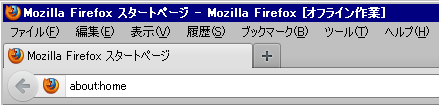
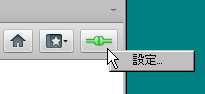
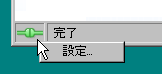
インストールすると、ステータスバーに下図のようなアイコンが表示されます。
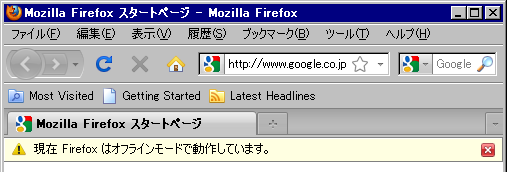
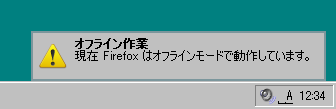
このアイコンは、現在のオンライン/オフラインの状態を表しています。
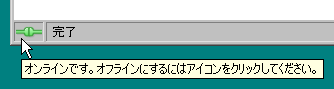
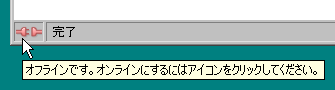
次の3通りの方法でオンライン/オフラインの状態を切り替えられます。
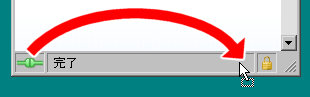
また、アイコンはドラッグ&ドロップすることで並び替えることができます。
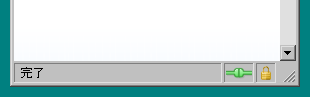
ここからは、設定画面の各項目について説明します。
設定ダイアログを表示するには、まずメニューバーの「ツール」→「アドオン」をクリックします。
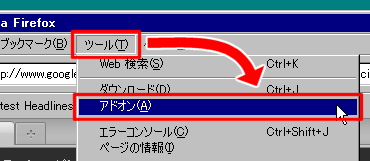
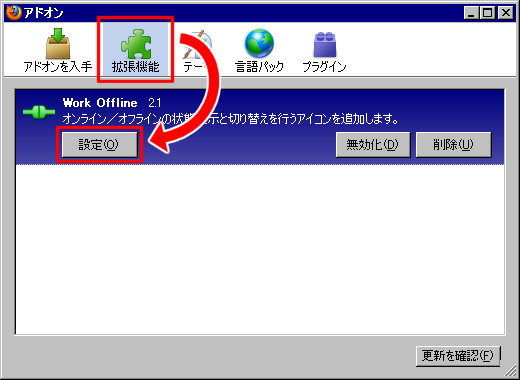
表示されたアドオンマネージャの「拡張機能」パネルを選択し、
「Work Offline」の「設定」ボタンをクリックしてください。
「一般」パネルでの設定項目について説明します。
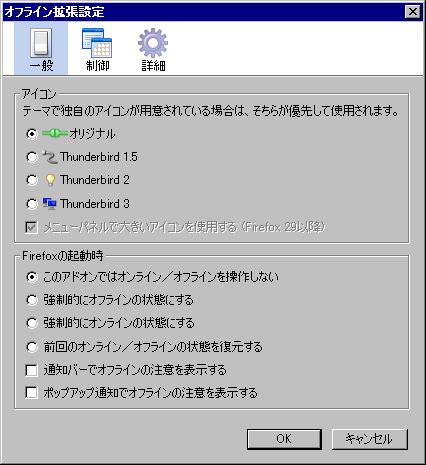
「アイコン」では、表示されるアイコンを変更することができます。
テーマで独自のアイコンが用意されている場合は、そちらが優先して使用されます。


「Firefoxの起動時」では、Firefoxが起動するタイミングでの動作を設定します。
「制御」パネルでの設定項目について説明します。
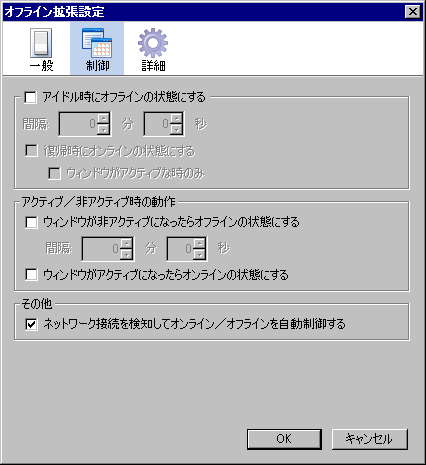
「アイドル時にオフラインの状態にする」では、キーボードやマウスを操作しない(=アイドル)状態が
一定時間続いた場合、自動的にオフラインの状態にする設定を行います。
この機能を有効にしたい場合、「アイドル時にオフラインの状態にする」にチェックを入れます。
「アクティブ/非アクティブ時の動作」では、Firefoxのウィンドウがアクティブ/非アクティブに
なった時に自動的にオンライン/オフラインにする設定を行います。
「その他」では、その他の様々な動作を設定します。
network.manage-offline-statusのプリファレンスを制御しています)
「詳細」パネルでの設定項目について説明します。
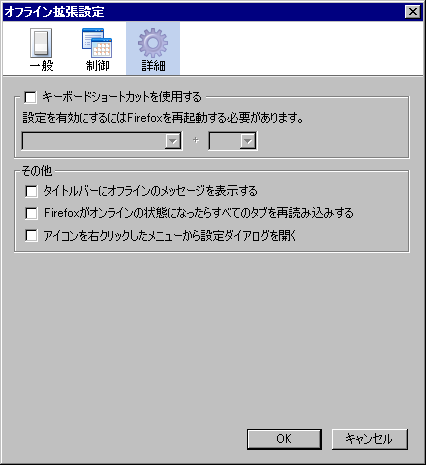
「キーボードショートカットを使用する」では、キーボードショートカットを設定します。
キーボードショートカットを使用してオンライン/オフラインの状態を切り替えたい場合、
「キーボードショートカットを使用する」にチェックを入れ、使用したいキーの組み合わせを選択してください。
この設定を有効にするには、Firefoxを再起動する必要があります。
「その他」では、その他の様々な動作を設定します。

本拡張機能以外の拡張機能が影響を及ぼしている場合があります。
他の拡張機能を全て削除して正常に動作するか試してください。
もし影響を及ぼしている拡張機能があれば、その名前を教えてください。
プロファイルに何らかの不具合があり、拡張機能が正常に動作しない場合があります。
プロファイルを新しく作成しなおして、本拡張機能をインストールしてみてください。
新しいプロファイルを作成する方法は、Firefoxヘルプのページをご覧ください。
Nightly・Developer Edition(Aurora、α版)・Beta(β版)・RC版および
非公式・最適化・野良ビルド等、公式リリースビルド以外のビルドは、
正常に動作しない場合が多いのでサポートしません。公式リリースビルドでご利用ください。
Firefox 29以降では、アドオンバーは廃止されました。
復活させたい場合は、拡張機能Classic Theme Restorer (Customize Australis)、
The Addon Bar (restored)、New Add-on Bar、Status-4-Evar等を併用してください。
Firefox 4〜28ではステータスバーが廃止され、アドオンバーに置き換えられました。
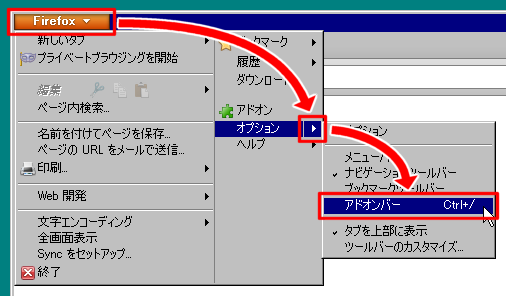
ステータスバーに表示されていたアイコンは、アドオンバーを表示させることで表示されるようになります。
アドオンバーを表示させるには、Firefoxボタン→「オプション」右横の矢印→「アドオンバー」をクリックしてください。
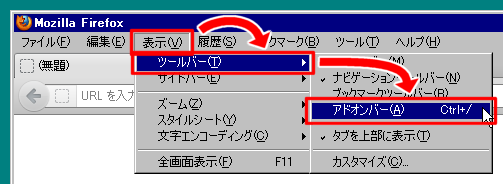
メニューバーが表示されている場合は、メニューバーの「表示」→「ツールバー」→「アドオンバー」をクリックしてください。
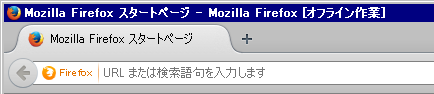
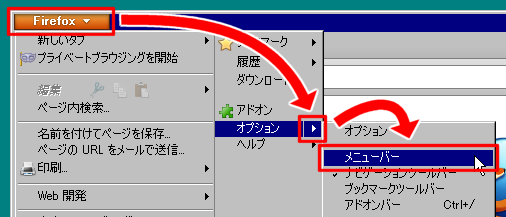
Firefox 4〜28ではメニューバーを表示させていないとタイトルバーにメッセージが
表示されなくなりました。メニューバーを表示させるには、
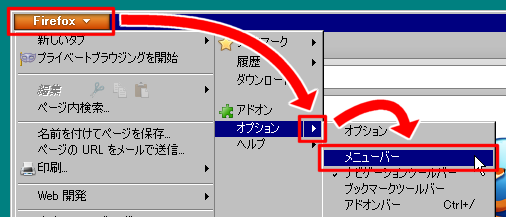
Firefoxボタン→「オプション」右横の矢印→「メニューバー」をクリックしてください。
メニューバーを表示させずにタイトルバーにメッセージを
表示させたい場合は、拡張機能Display Window Title、UI Fixer等を併用してください。
拡張機能Status-4-Evarと併用した場合にこの問題が起きることがあるようです。
Status-4-Evarの既知の問題(Known Issues)にあるように、ツールバーのカスタマイズで
オフライン拡張のアイコンとその他のアイテムの間に伸縮自在のスペースを置いてみてください。
拡張機能Toolbar Buttonsを併用してください。
em:maxVersionを37.*に変更。removePromptTitle、removePromptTextの追加を忘れていたのを修正。em:maxVersionを30.*に変更。em:maxVersionを29.*に変更。icon.png、icon64.pngを削除。em:maxVersionを11.*に変更。browser.offlineの設定は使用されなくなったことへの対応(Bug 663253)。workOfflineStatObserverをWorkOfflineStatObserverに変更。em:maxVersionを4.0.*に変更。em:maxVersionを3.5.*に変更。extensions.offline.insertAfterのデフォルト値が無いためFirefox起動時に出ていたem:maxVersionを3.0.*に変更。em:maxVersionを2.0.0.*に変更。em:maxVersionを1.5.0.*に変更。em:maxVersionを1.4.1に変更。em:maxVersionを1.4に変更。app.extensions.versionの変更に対応(Bug 295538)。
このソフトウェアは、GPL(GNU 一般公衆利用許諾契約書)バージョン2に基づいて
配布されています。改変・再配布については、GPLバージョン2の規定に従ってください。
ここをこうすれば良いというご意見があれば、是非ご協力ください。
また、不具合等のご報告もお気軽にお寄せください。
いずれも電子メール(メールアドレスはこのページの最下部)までお願いいたします。
![leafy [at] multi [dot] nadenade [dot] com](/leafy/Icons/email.png)